


Introduction to {{item.name}}
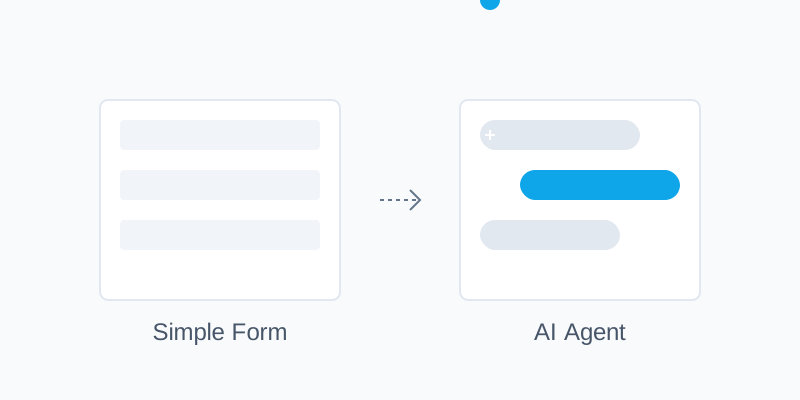
Every day, organizations collect data through forms. Employee onboarding, customer intake, surveys - they all present users with walls of input fields and validation messages. It's tedious, impersonal, and often frustrating. But what if we could make this experience feel more natural? What if filling out forms felt like having a conversation with a helpful assistant?
In this guide, we'll show you how to build a conversational form assistant using PromptLayer. You'll learn to create an AI that naturally collects information while maintaining data quality and validation standards.
An eval, short for evaluation, is a repeatable test that scores whether an LLM output meets a defined standard. For a conversational intake agent in 2026, evals are what catch regressions before they reach real users: you write test scenarios, grade each response with an LLM-as-a-judge, and gate every prompt change on the result. This guide builds that eval loop end to end.
Building the Core Assistant
The Master Prompt: Your Assistant's Brain
The first step is creating your assistant's core instructions. In PromptLayer's registry, create a new prompt template. While you might be tempted to write one long instruction set, breaking it down into logical sections using snippets makes your prompt more maintainable and easier to refine.
Your prompt should cover:
- Core responsibilities (data collection and validation)
- Conversation guidelines (how to interact naturally)
- User experience rules (pacing and clarity)
- Data collection process (gathering and submitting information)
- Tool usage instructions (when and how to submit collected data)
This modular approach using snippets lets you update specific behaviors without touching the entire prompt.
Configuring Your Assistant
Your prompt needs two types of configuration: input variables for context and a tool for data submission.
Input Variables
agent_nametells your assistant how to introduce itselfconversation_historyhelps maintain context using placeholders for previous messagesform_detailsdefines what information to collect and validation rules
Submission Tool Call
The assistant needs a way to submit collected data. We provide a SubmitIntake tool that:
- Takes all collected fields as arguments
- Gets called only when all required data is gathered
- Follows the structure defined in form_details
When all data is collected, the assistant will (hopefully) make a tool call with the structured data, completing the form submission process naturally.
Intake Agent master prompt
The Full Prompt
Creating the Evaluation Engine
The clever part comes in how we evaluate these behaviors. We create an LLM as a judge evaluation prompt that:
- Analyzes the assistant's actual response
- Returns a structured assessment:
- Receives the test scenario details
{
  "passed": boolean, # Whether the response passed the evaluation against the expected behavior
  "reason": "Detailed explanation of why the response did/didn't meet expectations"
}
This structured output is crucial - it lets us automatically track evaluation results while maintaining detailed feedback about why responses succeed or fail. Having a structured boolean (rather than bare strings) will allow as to easily keep track of the score.
If scoring model outputs this way is new to you, start with our guides to LLM-as-a-Judge and what prompt evaluations are, then apply the same pattern to the intake agent below.
LLM as a Judge behavior evaluation prompt
Automatic Quality Gates
After connecting your evaluation prompt and dataset to your main prompt in PromptLayer, you get automatic quality checks. Each time you update your assistant's prompt, PromptLayer offers to run your behavioral test suite. This creates immediate feedback about whether your changes improved or degraded the assistant's core behaviors.
This approach to evaluation helps ensure that while your assistant might not give identical responses every time (that would feel robotic!), it consistently exhibits the behaviors that make it effective at its job.
Comprehensive Monitoring
PromptLayer provides multiple ways to monitor your assistant's performance:
Evaluation Scores and Reports
Each prompt version in the registry includes a link to its evaluation report, showing how it performed against your test cases. These scores and detailed reports help you track improvements across versions and understand exactly how your changes affected the assistant's behavior.
Master prompt evaluation reports
Detailed Traces
The trace feature lets you inspect every interaction in detail. You can see the exact inputs provided to your prompts, the complete responses, and any tool calls made. This visibility is invaluable when debugging unexpected behaviors or optimizing your assistant's performance.
Traces and evaluation reports are two halves of the same discipline. For the wider picture on tracking cost, latency, and output quality once your agent is live, see our deep dive into LLM observability tools.
Tracing
Which eval method fits a conversational intake agent?
A back-and-forth intake agent is harder to evaluate than a single-shot prompt, because "correct" depends on the whole conversation, not one response. Three eval methods are worth combining, each with a clear tradeoff.
| Eval method | Best for | Tradeoff |
|---|---|---|
| LLM-as-a-judge | Grading open-ended, conversational behavior against a described standard (tone, pacing, staying on task) | Needs a well-written judge prompt and periodic human spot-checks to stay calibrated |
| Assertion and rule-based checks | Deterministic facts: required fields captured, valid formats, the SubmitIntake tool called exactly once | Cannot judge nuance or conversational quality on its own |
| Human review | Calibrating the judge, catching edge cases, and signing off before a release | Slow and does not scale to every prompt change |
For a conversational agent, lead with an LLM-as-a-judge for behavior, back it with assertions for the structured data, and keep a human in the loop for calibration. Our guides on evaluating back-and-forth conversational AI and evaluating LLM prompts beyond simple use cases go deeper on each.
Putting It All Together
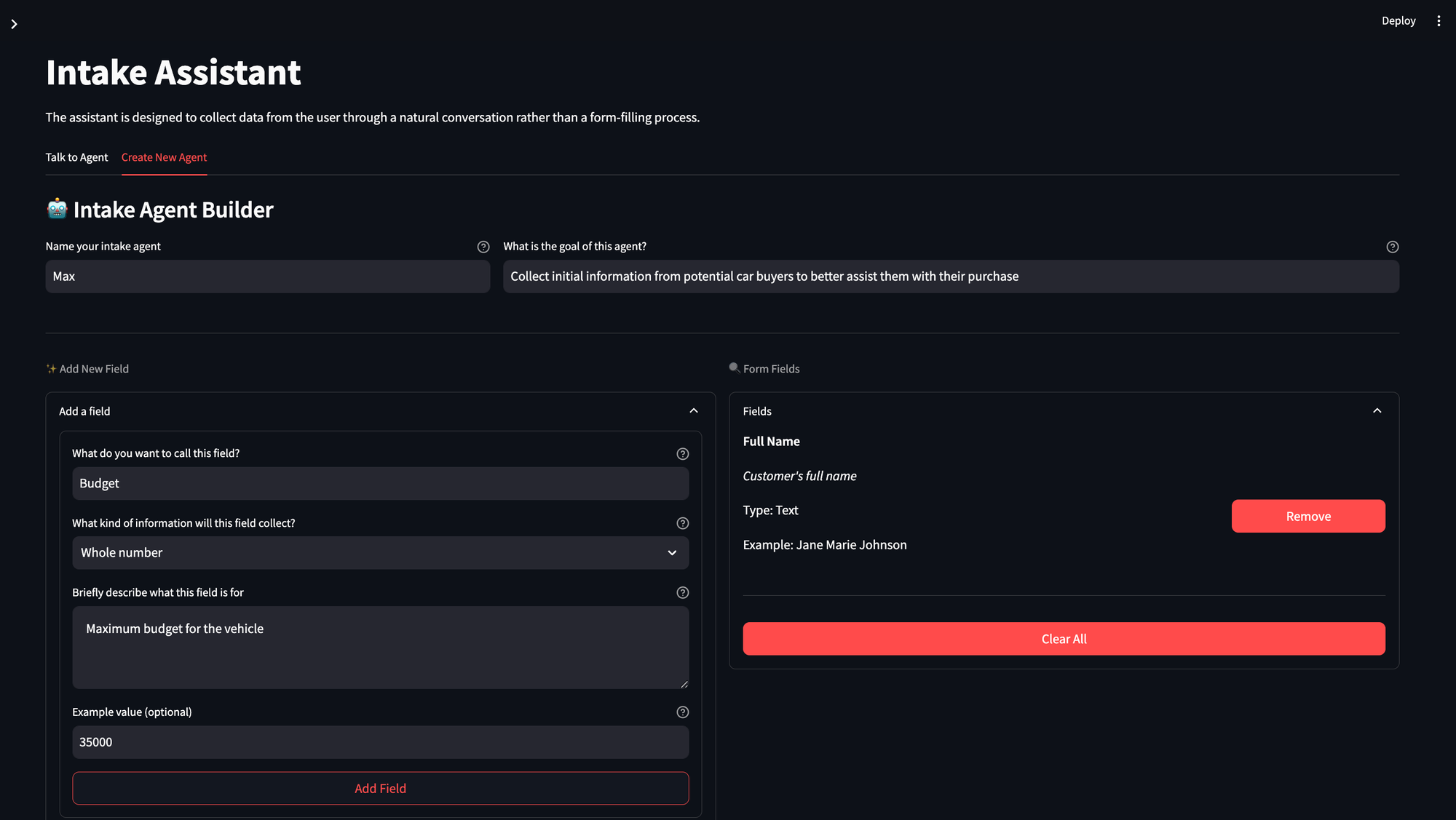
To demonstrate these concepts in action, we built a simple Streamlit application that lets organizations create and interact with their custom form assistants. The app has two main components:
Form Builder
Organizations can define their own custom forms by specifying the fields they need to collect. Each field can have:
- A name and type (text, number, date, etc.)
- A description for validation requirements
- Example values for clarity (optional)
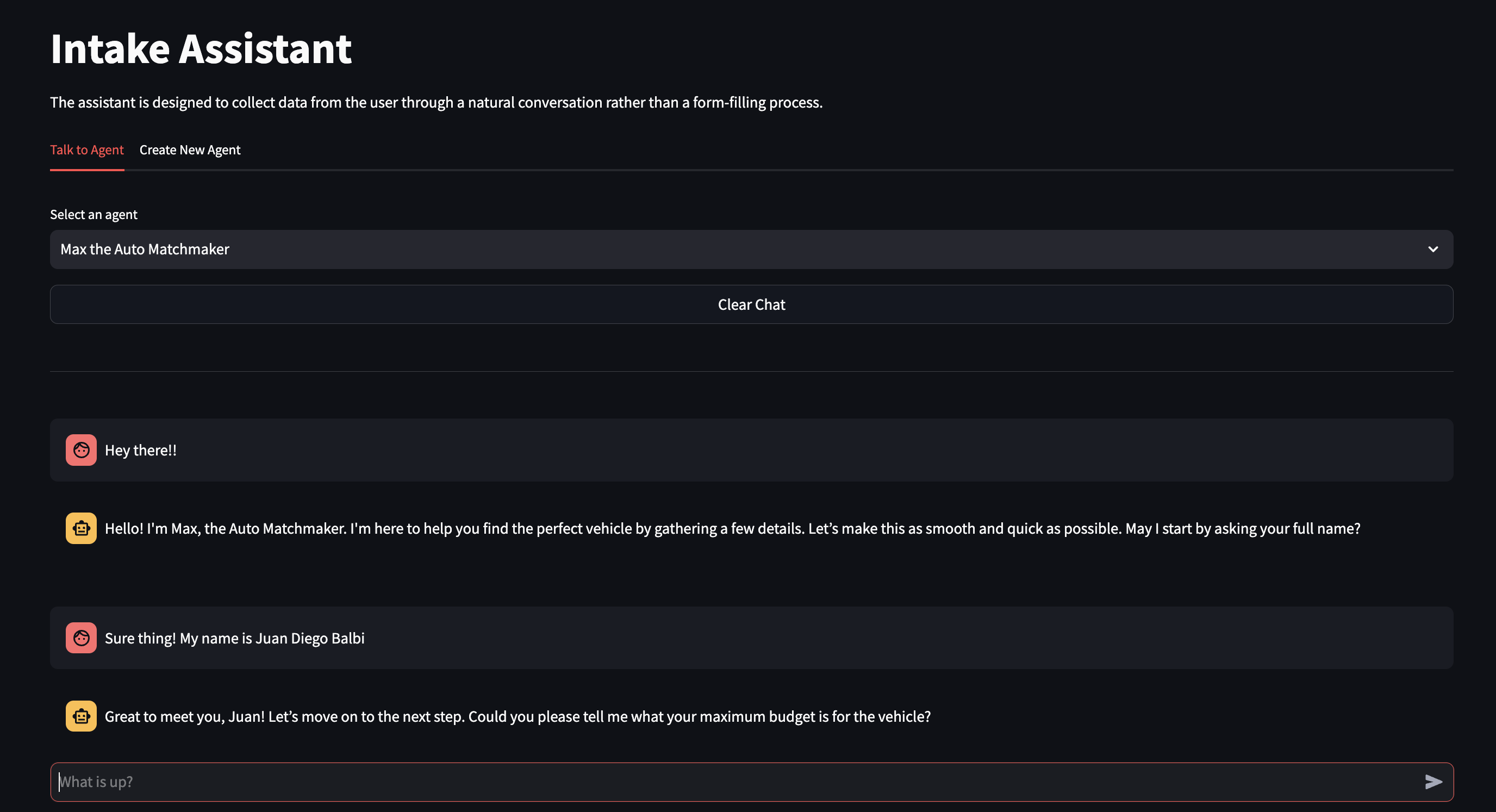
Chat Interface
Users interact with their created assistants through a familiar chat interface. The assistant guides them through the form-filling process conversationally, collecting and validating data along the way. Behind the scenes, PromptLayer (through its SDK) manages the conversation flow and ensures data quality.
Looking Ahead
The world of conversational AI is evolving rapidly. PromptLayer's new agents builder opens up exciting possibilities. Instead of one master prompt handling everything, you could create specialized prompts for different tasks, all orchestrated by a workflow. This modular approach could make your assistant even more robust and maintainable.
From this tutorial to production
The intake agent above uses three PromptLayer capabilities you can apply to any LLM feature: a prompt CMS to version and edit prompts without touching code, an eval harness to score behavior with an LLM-as-a-judge, and observability to watch cost, latency, and quality in production. That is the whole loop AI engineering teams need to ship prompts with confidence.
To go further on each piece, see our field guide to the best prompt management tools in 2026, the top tools for AI evals, and the best tools to measure LLM observability.
Start Building
Ready to transform your forms into conversations? Begin with the basics:
Start with your form structure - what information do you need to collect? Create your master prompt, focusing on natural dialogue. Set up evaluations early - they'll guide your development. Then iterate and improve based on evaluation results.
Want to see a complete implementation? Check out our example at GitHub.
Remember, the goal isn't just to collect data - it's to make the experience feel natural and efficient for your users. With PromptLayer's tools and this guide, you're ready to start building more human-friendly forms.
Frequently asked questions
What is an eval in AI?
An eval is a structured test that scores an LLM output against a defined expectation. Instead of eyeballing responses, you run each prompt version against a set of scenarios and get a pass or fail with a reason, so you can measure whether a change improved or degraded behavior. See our LLM evaluation fundamentals for the full workflow.
How does LLM-as-a-judge evaluate a conversational agent?
You give a second model the test scenario, the agent's actual response, and the behavior you expected, and ask it to return a structured pass or fail with a reason. Because the output is a boolean plus an explanation, you can track scores automatically across prompt versions while keeping the reasoning for debugging.
Is evaluating an agent different from evaluating a single prompt?
Yes. An agent takes multiple turns and calls tools, so you evaluate the trajectory, not just one answer: did it collect every field, call the tool once, and stay on task across the whole conversation? Our practical guide to agent evaluation covers this in depth.
Can non-technical teammates run these evals?
Yes. Because the prompts and eval scenarios live in a CMS rather than the codebase, a domain expert can edit a prompt, run the behavioral test suite, and read the report without a deployment, while engineers keep the same version history in production.