


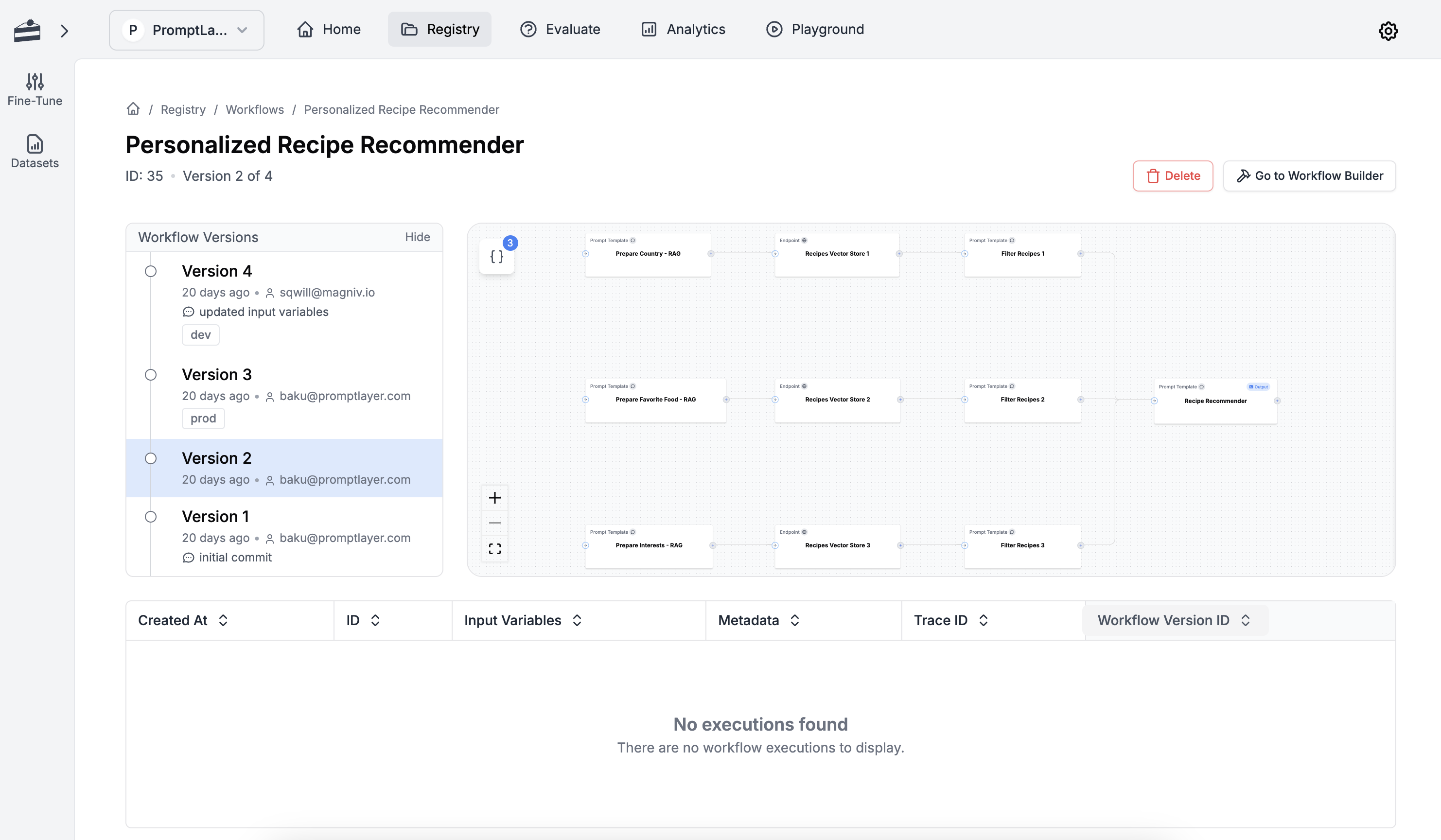
Prompt Workflows Visualized
Workflow Features
Version Control
Version your workflows and maintain a history of changes as you iterate.
Interactive Playground
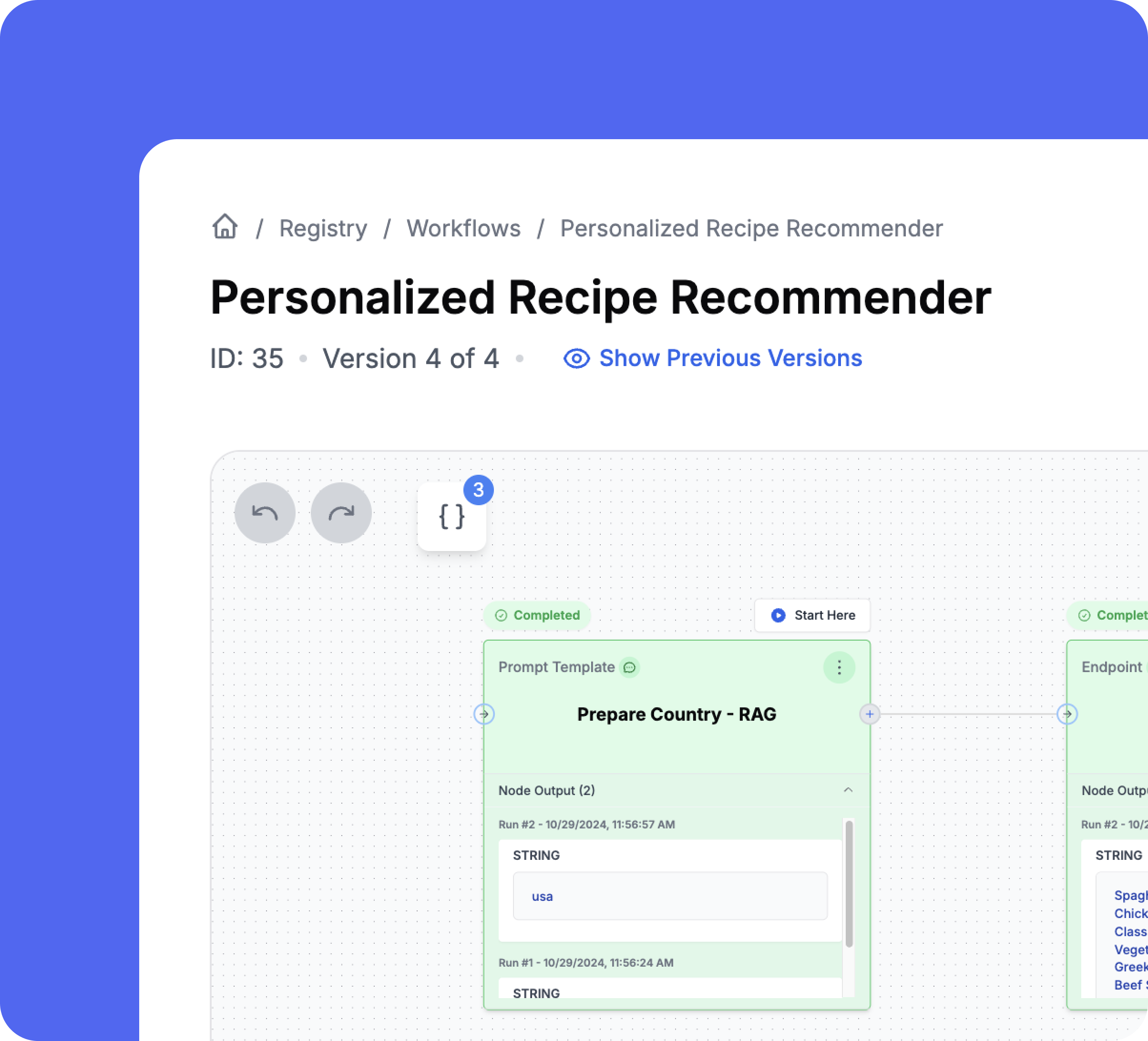
Easily test your workflows with the interactive workflow playground, start or stop from any node.
A/B Testing
Conduct A/B tests based on user segments to optimize workflow performance.
Release Labels
Manage environments like production and development through the dashboard without code changes.
Parallelized Execution
Workflows are automatically parallelized on PromptLayer delivering performance improvements.
Compare Chains
Analyze the performance of simple and complex prompt chains.
Workflow Builder
Version and test prompt chains collaboratively
Design your LLM architectures without having to code or waste engineering cycles. Move quickly and adapt to changing best practices with ease.
Test LLM Architecture
Iterate and version different prompt chain permutations.
Mix & Match Models
Achieve the best results by using different models like GPT and Claude together in your workflow.
Visualize Data Flow
Step through data flow and debug bottlenecks with our prompt GUI visualizer.
Team Collaboration
Build workflows together with engineers, PMs, and the non-technical stakeholders on your team.
Guide
Prompt chaining, explained
What is prompt chaining?
Prompt chaining is the practice of breaking a task into a sequence of LLM calls, where each step's output becomes the next step's input. Instead of asking one giant prompt to extract data, reason over it, and format a response all at once, you split the work into focused subtasks and pass state between them.
The classic example is document question-answering. One prompt extracts the relevant quotes from a long document; a second prompt takes those quotes and the original question and writes the final answer. Each prompt does one job well, and the intermediate output is inspectable.
Chaining helps whenever a single prompt is doing too much. It improves reliability (each step is easier to get right), transparency (you can log and debug intermediate results), and controllability (you can add validation, retries, or branching between steps). It is the foundation of almost every real LLM application, from RAG pipelines to multi-step data extraction. The tradeoff is more moving parts to manage — which is exactly what a good prompt management workflow is built to handle.
Prompt chaining vs. agents vs. orchestration
These terms overlap, but they describe different levels of autonomy.
Prompt chains are fixed pipelines. You decide the steps ahead of time — step one runs, then step two, then step three — and the control flow is deterministic. Chains are predictable, easy to test, and easy to debug, which is why most production systems are chains with a little branching, not fully autonomous agents.
Agents add a decision loop. Instead of a hard-coded sequence, the model chooses which tool to call next based on the current state, loops until a goal is met, and can recover from errors on its own. Agents are more flexible but harder to make reliable, because the path through your system is decided at runtime.
LLM orchestration is the layer that runs either pattern in production: managing state between steps, calling tools and external APIs, handling retries and parallelism, and coordinating multiple prompts or models. Prompt orchestration specifically refers to sequencing and versioning the prompts inside that flow. Frameworks like LangGraph or a visual agent builder give you the orchestration primitives; whether you build a fixed chain or an autonomous agent on top is your design choice. Wiring in observability from day one is what makes either approach debuggable.
How to build an LLM workflow
Building a reliable LLM workflow is less about clever prompting and more about disciplined engineering. A repeatable process looks like this:
- Decompose the task. Write out the end-to-end job and split it into discrete steps that each have a single responsibility — extract, classify, retrieve, generate, validate. If a step is hard to describe in one sentence, split it further.
- Define nodes. Turn each step into a node with a clear input and output contract. A node is usually a versioned prompt, but it can also be a tool call, a retrieval step, or a bit of code that transforms state.
- Pass state. Decide what data flows between nodes and in what shape. Keeping a structured state object (rather than shoving everything into free text) is what makes chains debuggable.
- Add tools. Give steps access to retrieval, function calls, or external APIs where the model needs real data or actions instead of guessing.
- Test end to end. Run the whole workflow against real inputs and inspect every intermediate output. Tool mocking lets you test agent and prompt behavior without standing up live integrations, so you can validate logic before wiring in production APIs.
- Version everything. Version the prompts, the workflow structure, and the tools together, so you can roll back a bad change and compare versions with evaluations instead of guessing.
PromptLayer's visual Agent builder (backend name: workflows) maps directly onto this process: each node has a type, configuration, and dependencies, every step can use a versioned prompt from the registry, and the whole agent is versioned like a prompt so you can iterate safely.
AI agent builders & workflow tools compared
The market for AI agent builders splits into two camps. Code-first frameworks — LangChain/LangGraph, CrewAI — give engineers maximum control through Python or JavaScript, at the cost of a steeper learning curve and more scaffolding. Visual builders — n8n, Flowise, Dify — offer a drag-and-drop canvas that gets a working pipeline running fast, and are often the better fit when AI is one step inside a larger automation. The gap most of these tools leave is the operational layer: prompt versioning, evaluations, and production observability wired into the same place you build. The comparison below focuses on how each tool handles llm orchestration versus the prompt-management lifecycle around it. Verify current licensing and features against each vendor before standardizing, since this space moves quickly.
| Tool | Visual vs code | Prompt management built in | Evals + observability | Open source | Best fit |
|---|---|---|---|---|---|
| PromptLayer | Visual builder + SDK/API | Yes — versioned prompt registry, each step uses a versioned prompt | Yes — evaluations and observability built in | No (managed platform) | Teams who want a visual agent builder wired to prompt versioning, evals, and observability |
| LangChain / LangGraph | Code (Python/JS) | No (bring your own) | Via separate LangSmith product | Yes (MIT) | Engineers wanting full control and stateful, multi-agent orchestration |
| n8n | Visual canvas | Limited | Workflow-level logging | Source-available (fair-code) | Ops-heavy automations where AI is one step among many integrations |
| Flowise | Visual canvas | Limited | Basic tracing | Yes (Apache 2.0) | Fast LangChain-style prototyping on a visual canvas |
| Dify | Visual canvas | Yes — prompt versioning + RAG | Built-in analytics | Yes (open source) | All-in-one chat/RAG apps and beginners |
| CrewAI | Code (Python) | No (bring your own) | Via integrations | Yes (MIT) | Role-based multi-agent "crews" defined in code |
PromptLayer's differentiator is combining a visual ai agent builder with a versioned prompt registry, evaluations, and observability in one platform — and staying full-featured for engineers through the SDK and API, not just non-technical users.
When to chain prompts vs. use a single prompt
Chaining is powerful, but every extra step has a cost. Before you split a prompt, weigh the tradeoffs.
Reasons to keep a single prompt: lower latency (one round trip instead of many), lower cost (fewer tokens and calls), and simplicity (nothing to orchestrate). Modern long-context models can often handle in one call what used to require several, so start simple and only decompose when you have evidence you need to.
Reasons to chain: the task has genuinely distinct subtasks, you need to inspect or validate intermediate results, one step needs a tool or retrieval, or a single mega-prompt is unreliable and hard to debug. Chaining trades latency and cost for reliability and controllability — usually a good trade for anything user-facing or high-stakes.
A practical rule: begin with the simplest prompt that could work, measure it with evaluations, and chain only the steps where the data shows the single prompt falls down. Let quality metrics, not intuition, drive when you add complexity.
How to choose an AI agent builder
When you evaluate an AI agent builder or prompt orchestration tool, run through this checklist against your team's real needs:
- Visual vs. code: Do you need a drag-and-drop canvas for faster iteration and non-engineer collaboration, a code-first framework for maximum control, or both? A tool that offers a visual builder and an SDK covers both audiences.
- Versioning: Can you version prompts, workflow structure, and tools — and roll back a bad change? Versioning is what makes production changes safe.
- Prompt management integration: Does each step pull from a shared, versioned prompt registry, or are prompts hard-coded and scattered across the codebase?
- Evaluations: Can you score changes against datasets and catch regressions before they ship, rather than eyeballing outputs?
- Observability: Does it log every step, input, output, latency, and cost in production so you can debug real failures?
- Tool support and testing: Can steps call tools and APIs, and can you mock those tools to test behavior end to end without live integrations?
- Deployment: How do agents move from build to production — versioned releases, API access, and the ability to update prompts without redeploying code?
PromptLayer is built to check every box: a visual Agent builder for composing multi-step pipelines, tool mocking for end-to-end testing, versioning across prompts and agents, and native evaluations and observability — full-featured for engineers via SDK and API, and approachable for the whole team.
Frequently asked questions
If you still have questions feel free to contact us at sales@promptlayer.com